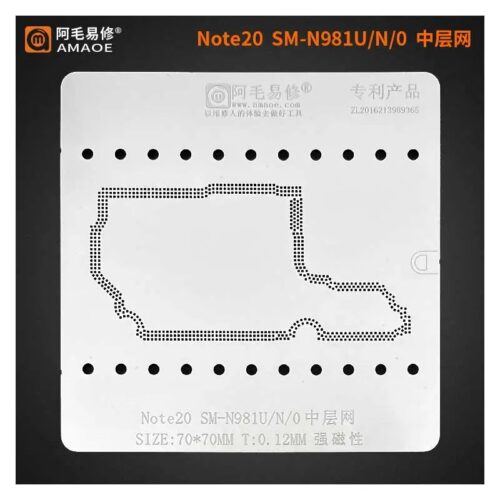
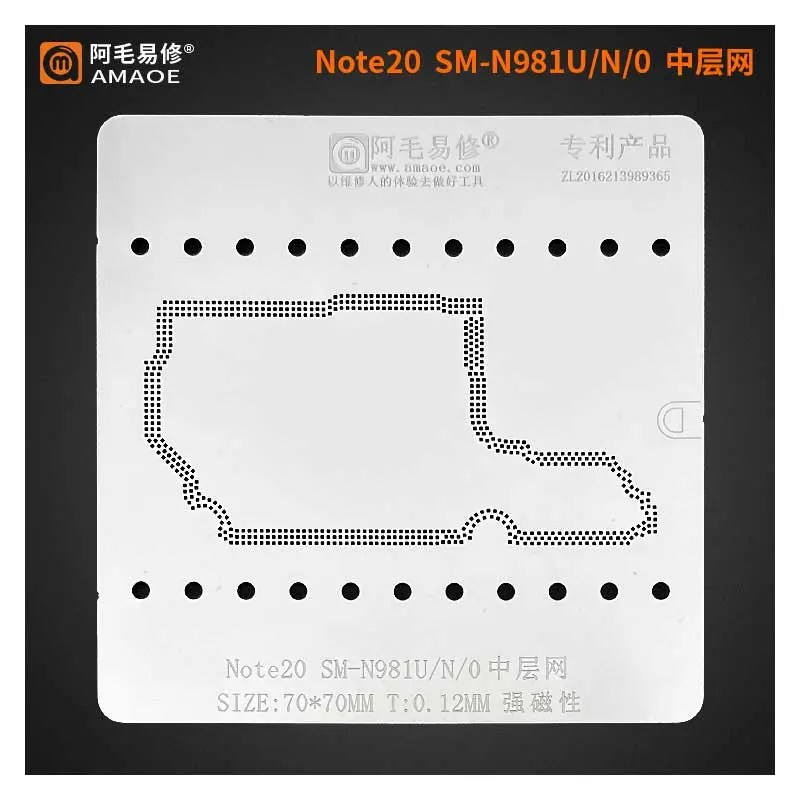
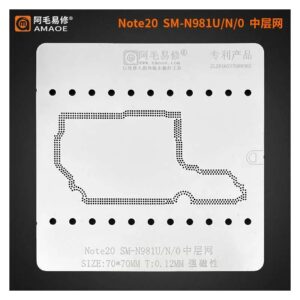
Amaoe Sam Note 20 Sm N981u/n/o Middle Layer Stencil-Original For SAMSUNG Note 20
Enhance Your Repair Precision
The Amaoe Sam Note 20 Sm N981u/n/o Middle Layer Stencil-Original For SAMSUNG Note 20 is an essential tool for professionals and enthusiasts looking to achieve high-accuracy repairs on Samsung Note 20 devices. Crafted for precision, this original stencil ensures seamless compatibility with the SM N981u/n/o model, making it an indispensable addition to your toolkit. Amaoe Sam Note 20 Sm N981u/n/o Middle Layer Stencil-Original For SAMSUNG Note 20
Designed for Reliability
Constructed with durable, high-quality materials, this middle layer stencil offers exceptional resilience and enduring performance. Whether you’re working on intricate components or addressing surface-level repairs, its design provides the reliability and functionality needed for a hassle-free repair experience. Amaoe Sam Note 20 Sm N981u/n/o Middle Layer Stencil-Original For SAMSUNG Note 20
Perfect Fit for Samsung Note 20
Tailored exclusively for the Samsung Note 20 series, this stencil guarantees a perfect fit every time. Its original specifications minimize errors, saving time and ensuring optimal results for your projects. Trust Amaoe for verified tools made for superior compatibility and efficiency.
The Amaoe SAM Note 20 (SM-N981U/N/0) Middle Layer Stencil is a precision-engineered repair tool specifically designed for professional technicians. When dealing with the Samsung Galaxy Note 20’s “sandwich” motherboard design, this stencil is the gold standard for rejoining the upper and lower logic boards or reballing the middle frame connections.
Below are the comprehensive specifications and features in a detailed tabular format, followed by an in-depth look at its technical application.
Technical Specifications Table
| Feature | Specification Details |
| Product Brand | Amaoe (Original) |
| Series Model | SAM Series (Note 20 Specific) |
| Compatibility | Samsung Galaxy Note 20 / Note 20 5G |
| Supported Variants | SM-N981U (US), SM-N981N (Korea), SM-N9810 (China/HK) |
| Stencil Purpose | Middle Layer / Motherboard Frame Reballing |
| Thickness | 0.12 mm |
| Material | High-Quality Heat-Resistant Stainless Steel |
| Hole Design | Square-rounded apertures (Anti-bulging design) |
| Net Weight | Approx. 10g |
| Dimensions | Custom-fit for Note 20 motherboard footprint |
| Resistance | High-temperature oxidation & deformation resistance |
| Precision Level | Laser-cut micro-apertures for exact solder ball alignment |
Key Product Features
1. Precision Laser Cutting
Unlike generic stencils that use chemical etching, the Amaoe Original uses high-precision laser cutting. This ensures that each aperture is uniform in size and perfectly vertical, preventing solder paste from getting trapped or forming “bridges” between pads. Amaoe Sam Note 20 Sm N981u/n/o Middle Layer Stencil-Original For SAMSUNG Note 20
2. Optimized 0.12mm Thickness
At $0.12\text{ mm}$, the stencil strikes the perfect balance between flexibility and structural integrity. This specific thickness is calibrated to deposit the exact volume of solder paste required to create uniform $BGA$ (Ball Grid Array) heights across the middle frame. Amaoe Sam Note 20 Sm N981u/n/o Middle Layer Stencil-Original For SAMSUNG Note 20
3. Anti-Bulging Technology
One of the biggest challenges in motherboard “sandwich” repair is stencil bulging under heat. Amaoe stencils feature heat-dissipation grooves and a material composition that minimizes thermal expansion, ensuring the stencil remains flat against the PCB during the heating process. Amaoe Sam Note 20 Sm N981u/n/o Middle Layer Stencil-Original For SAMSUNG Note 20
4. Chamfered Square Holes
The holes are designed with a slight chamfer (taper). This “square-round” design allows the solder paste to release effortlessly from the stencil, leaving behind clean, sharp-edged solder deposits that melt into perfect spheres. Amaoe Sam Note 20 Sm N981u/n/o Middle Layer Stencil-Original For SAMSUNG Note 20
Usage Scenarios & Repair Context
The Samsung Note 20 series utilizes a dual-layered motherboard. To perform repairs on internal components—such as the Exynos 990 or Snapdragon 865+ CPU, or the UFS 3.0 storage—the technician must “split” the two layers.
Once the repair is completed, the Amaoe Middle Layer Stencil is used to:
-
Clean and Prep: Align the stencil over the middle frame of the bottom board.
-
Paste Application: Spread solder paste across the stencil; the $0.12\text{ mm}$ depth ensures consistent ball size.
-
Reflow: Use a specialized heating platform or hot air station to melt the paste into uniform balls.
-
Re-Join: Align the top board onto the newly reballed bottom board and heat until the layers fuse.
Maintenance and Care
To ensure the longevity of your Amaoe stencil, it is recommended to:
-
Clean Immediately: Use 99% Isopropyl Alcohol (IPA) and a soft brush to remove residual solder paste after every use.
-
Avoid Physical Stress: Do not fold or crease the stencil, as any slight bend will prevent the flush contact required for precise reballing.
-
Store Flat: Keep the stencil in its original protective sleeve or a magnetic storage book.
More Products : https://gaffarmarketdelhi.com